Open password — controls who can read it
The file is encrypted and asks for the password before showing its contents. This is usually what people mean by password-protecting a PDF.
Preview already protects one PDF well. Use a batch tool only when repeating the job becomes the problem.
An open password encrypts the document so it cannot be viewed without the password. Preview can add one without installing anything.
Both methods keep the PDF on your Mac.
Quick answer
Apple's built-in workflow takes about a minute:
These steps follow the Preview User Guide. Apple recommends a new name when you want a protected copy without changing the original.
Choose deliberately
The file is encrypted and asks for the password before showing its contents. This is usually what people mean by password-protecting a PDF.
This controls printing, copying, annotations, and changes after the PDF is open. Treat permissions as workflow restrictions, not as a substitute for an open password when the contents themselves are sensitive.
When Preview is enough
Use Preview when you have one or a few PDFs and want an open password or detailed permissions. It is built in and exposes both password types.
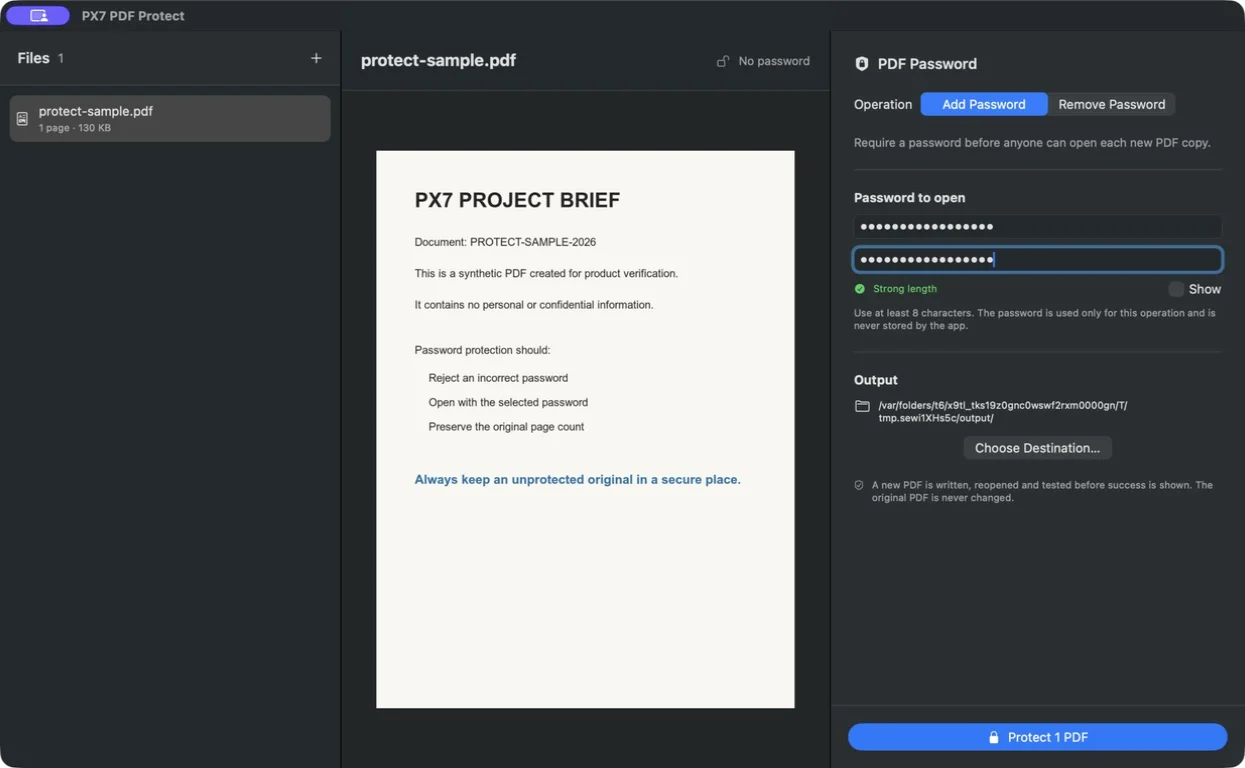
Use PX7 when you need one open password across a Finder selection or folder, or need password-free copies of PDFs whose current password you know. It checks that a wrong password fails, the chosen password works, and page counts match. €15 once after a seven-day trial.
brew install --cask px7digital/tap/px7-pdf-protectAcrobat supports open and permissions passwords and reusable security policies. If your workplace already provides it, use its established workflow.
Before sharing
Common questions
Yes. Preview can export a PDF copy that requires a password to open, and it can also set a separate owner password for printing, copying, and changes.
An open password encrypts the PDF and is required to view it. A permissions password controls actions such as printing or copying after the document is open.
Do not assume it can. Keep an unprotected original or another secure copy, and store the password in a password manager.
Send the PDF and its password through separate channels when practical, and avoid putting both in the same email or message.