The PX7 PDF Protect app icon

PX7 PDF Protect

Put a password on the document.

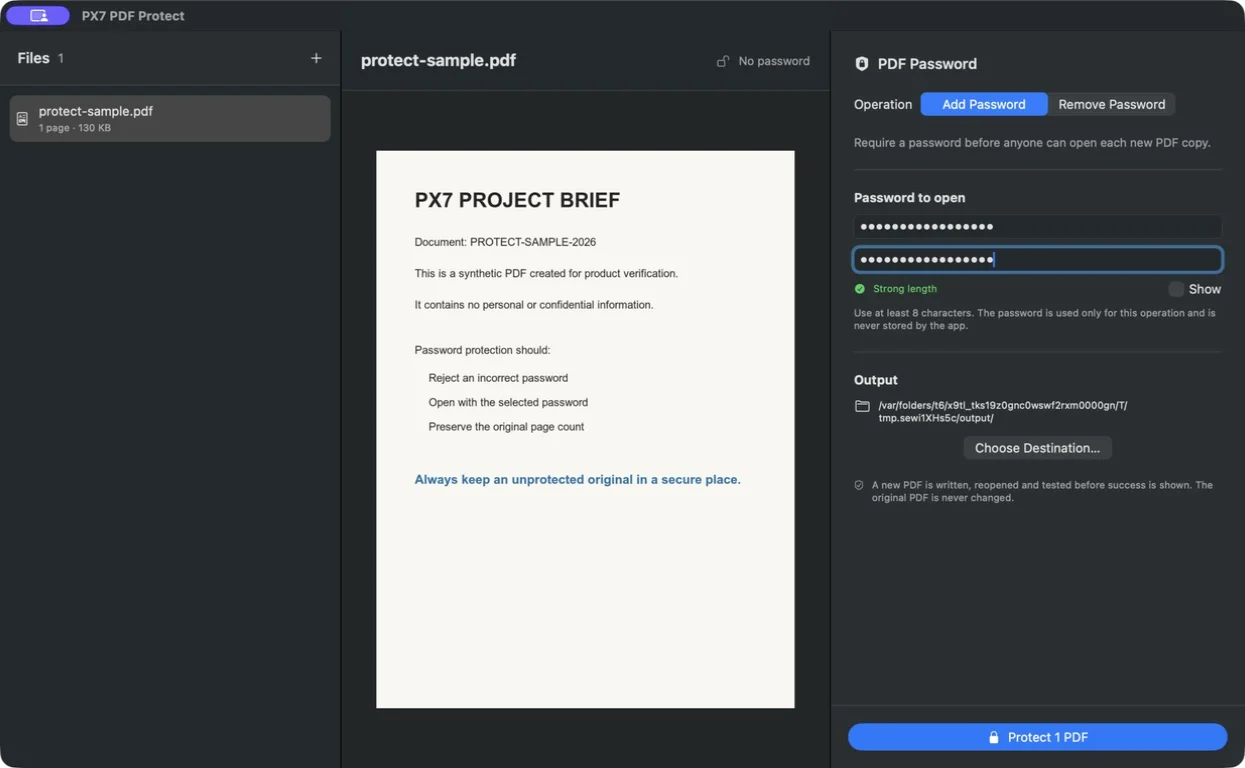
Require a password before a PDF can be opened, or create a password-free copy when you already know the current password.

Seven-day trial · €15 one-time · updates through version 1.x · one key for up to seven Macs.

Clear access protection, verified before saving.

Require a password to open

Choose one password for an individual PDF, a Finder selection or a complete folder.

Remove a password you know

Create normal password-free copies of documents you are already authorised to open.

Verify the finished file

Protect checks that a wrong password is rejected, the chosen password works and the page count remains intact.

Keep the document usable

Pages, searchable text, links, forms, annotations and metadata stay in the PDF after it is opened.

Work through a batch

Files that use another password are reported separately instead of stopping every successful result.

Keep passwords out of storage

The password is held only for the current operation. The app does not save, upload or log it.

Remember the password. PX7 Digital cannot recover a forgotten PDF password. Keep an unprotected original or another secure copy.

The details

Quick answers

Questions about PX7 PDF Protect

What is PX7 PDF Protect?
Require a password to open PDF files, or create password-free copies when you know the current password. Native on your Mac. €15 once.
Where does PX7 PDF Protect do its work?
PX7 PDF Protect processes PDF files locally on your Mac.
How much does PX7 PDF Protect cost?
PX7 PDF Protect costs €15 once. It includes a seven-day trial, and one app-specific key can be used on up to seven Macs. There is no subscription.
Which Macs can run PX7 PDF Protect?
macOS 14 Sonoma or later
How do I password-protect a PDF on a Mac?
Set an open password, so the document cannot be read at all without it. PX7 PDF Protect applies one password to a single PDF, a Finder selection or a whole folder, then verifies each result: it checks that the chosen password opens the file, that a wrong one is rejected and that the page count is unchanged.
How do I remove a password from a PDF?
Open it with the password you already have and save a normal, password-free copy. That is what PX7 PDF Protect does — it is a convenience for documents you are authorised to open, not a way into a document you are not. There is no password cracking here.
Can I protect several PDFs at once?
Yes, with one password across the batch. Files that turn out to use a different password are reported separately rather than stopping the run, so the documents that did work still get saved.
Is the PDF still usable after it is protected?
Yes. Once opened, the pages, searchable text, links, forms, annotations and metadata are all still there — the password controls access to the document, it does not flatten it.
What if I forget the password?
The document cannot be opened, and PX7 Digital cannot recover it. The password is held only for the operation you are running and is never saved, uploaded or logged, which is the point — but it does mean keeping an unprotected original or another secure copy is on you.