For a few pieces of selectable text, the app already on your Mac is usually enough:
1. Open the PDFOpen a copy in Preview so your original stays untouched.
2. Show MarkupChoose View > Show Markup Toolbar.
3. Choose RedactSelect Redaction Selection, then drag across the text to remove.
4. Save and checkSave or close the copy, reopen it, then search for and copy the removed words.
Redaction becomes permanent when you close the document. Keep the original. Apple documents the same workflow in the Preview User Guide.
The mistake to avoid
A black rectangle is not the Redact tool
A PDF is not a picture of a page. It is a list of instructions — put this text here, draw this line there — and a viewer follows them in order. Adding a filled rectangle appends one more instruction to the end of that list. It says nothing about the instructions before it.
So the text is still there, sitting underneath, exactly as it was. The rectangle only decides what you see.
Select and copyDrag across the black area and paste somewhere. The words come out.
Search⌘F finds the hidden text and highlights it inside the box.
Any PDF libraryThree lines of Python extracts the whole page as plain text.
Move the shapeAn annotation can often just be selected and deleted.
Preview warns about this distinction: a shape only covers the content, while Redaction Selection removes the marked text when the document is closed.
Then
Check the document you already sent
If a PDF has already gone out, you can find out in under a minute whether it leaked. Nothing needs to be installed.
PreviewOpen it, drag across the blacked-out area, press ⌘C, paste into Notes.
SpotlightSearch for a word you thought you removed. A hit means the text is in the file.
Terminalmdimport -d2 file.pdf dumps the text macOS has indexed from it.
If the words come back, the document is out. A file that has been emailed or uploaded cannot be recalled. Reissue a properly redacted version, and treat the original as disclosed.
When Preview is not enough
Choose the smallest tool that covers the job
Preview — free for straightforward text redaction
Use Preview when the PDF has selectable text and you only need to remove a few known passages. It is built into macOS and performs real redaction when you use Redaction Selection. Keep an untouched copy because saved redactions cannot be undone in that file.
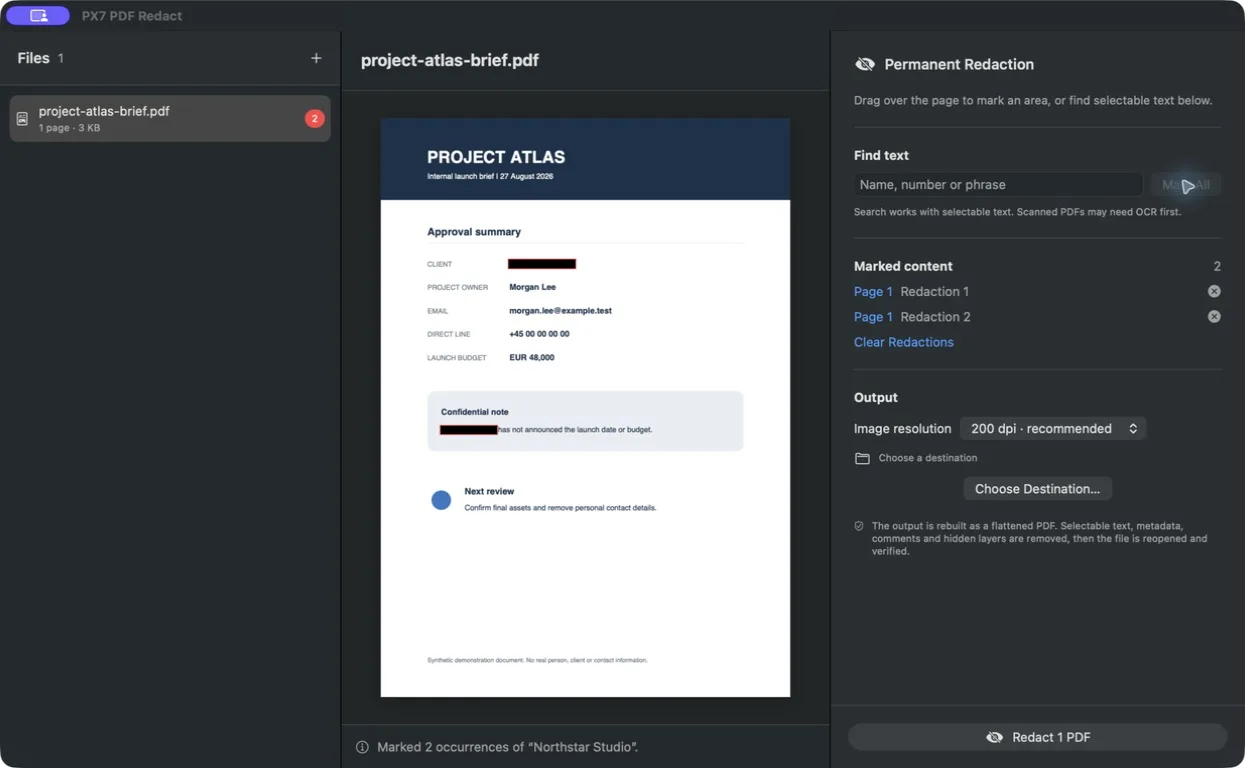
PX7 PDF Redact — areas, repeated text, batches and verification
Use PX7 when you need to mark images or arbitrary areas, find every selectable match, work through several PDFs, remove comments and metadata, or verify the rebuilt output automatically. It creates a new file and never modifies the source. €19 once after a seven-day trial.
Acrobat has a full redaction workflow, including search and pattern-based marking. If your workplace already pays for it and its workflow meets your requirements, use it.
Worth knowing
Three things that catch people out
Scanned pagesNo selectable text to search, so mark the regions by hand. If it has been through OCR, there is a text layer to remove as well.
MetadataAuthor, title and revision history live outside the page and survive a visual redaction.
The same name elsewhereRemoving a name from page 3 does nothing about page 11, the footer or the file name.
Redaction can carry legal or organisational requirements. Whichever method you use, open the finished PDF, search for the removed words and try to copy them back out before you send it.
Common questions
PDF redaction on Mac
Can I redact a PDF on Mac for free?
Yes. Preview includes Redaction Selection for permanently removing selectable PDF text when the document is closed.
Does a black rectangle redact PDF text?
No. A drawn shape usually only covers the text visually; the underlying text may still be searchable, selectable or extractable.
Can Preview redact images or scanned PDF pages?
Preview's Redaction Selection is intended for selectable text. Images and scanned pages need an area-redaction workflow or manual rebuilding.
How should I check a redacted PDF?
Reopen the finished copy, search for the removed words, try to select and copy them, and inspect metadata before sharing it.