Images to PDF
Combine a Finder selection or complete folder into one PDF, or create a separate PDF for every image.

Put the document in the format you need.
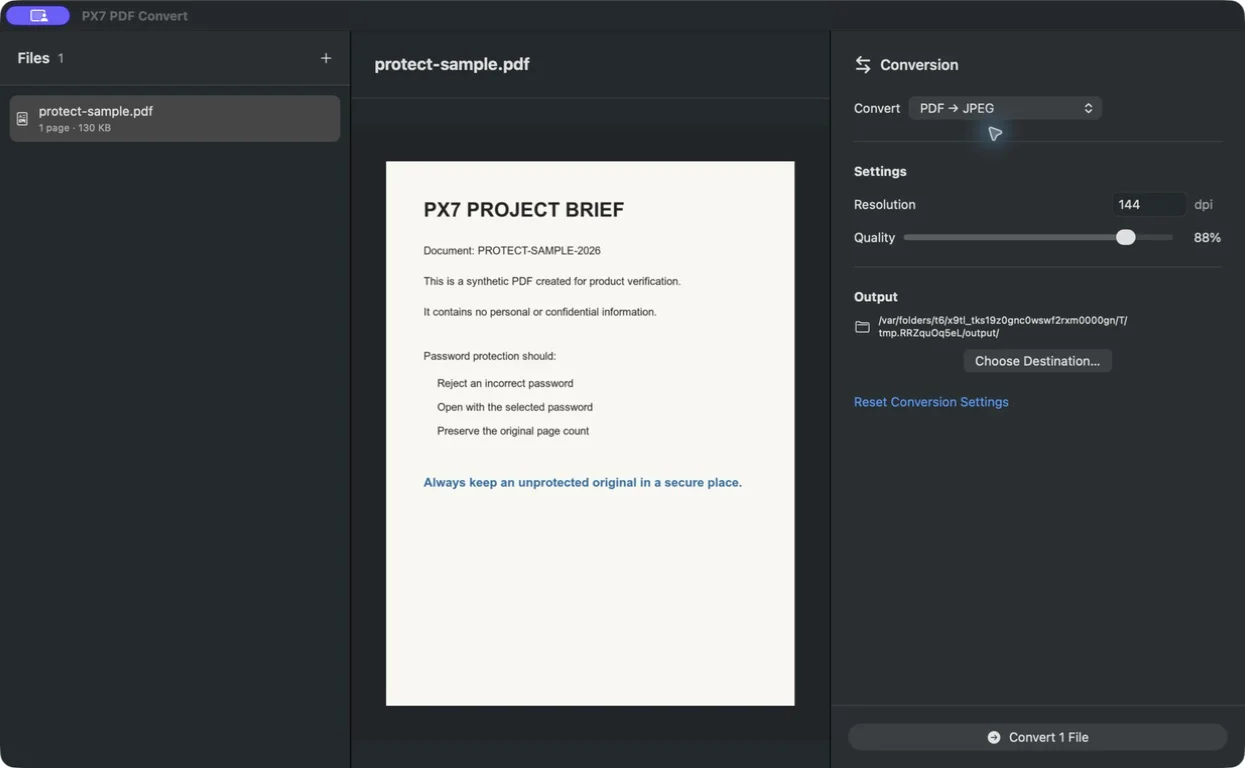
Export every PDF page as JPEG, PNG or TIFF, combine images into PDFs, and convert Markdown or text without uploading your files.
No card required · Apple notarized · €15 one-time · updates through version 1.x · one key for up to seven Macs.
How to convert one PDF page to JPG for free with Preview
Combine a Finder selection or complete folder into one PDF, or create a separate PDF for every image.
Export every page as PNG, JPEG or TIFF at the resolution you choose.
Extract selectable text with clear page boundaries. Scanned pages point you to PX7 PDF OCR instead of producing an empty file.
Create a paginated A4 or US Letter document with selectable text and readable margins.
Choose page size, image fit, margins, DPI and JPEG quality where they apply.
Preview the selected PDF page, image or text before you start the conversion.
Every result receives a collision-safe filename and is reopened for verification before the batch is complete.
Open a multi-file Finder selection directly, drag in folders or run the built-in Images to PDF action.
Use the PX7 tap to install the same signed, notarized Universal release from Terminal.
brew install --cask px7digital/tap/px7-pdf-convertQuick answers