Search, select and copy
OCR adds an invisible text layer behind the original scanned page, so the document keeps its familiar appearance.

Make scanned PDFs searchable.
Recognise the words inside scanned pages, keep the document looking the same and save a new PDF you can search, select and copy from.
No card required · Apple notarized · €19 one-time · updates through version 1.x · one key for up to seven Macs.
Free and paid ways to make a scanned PDF searchable on Mac
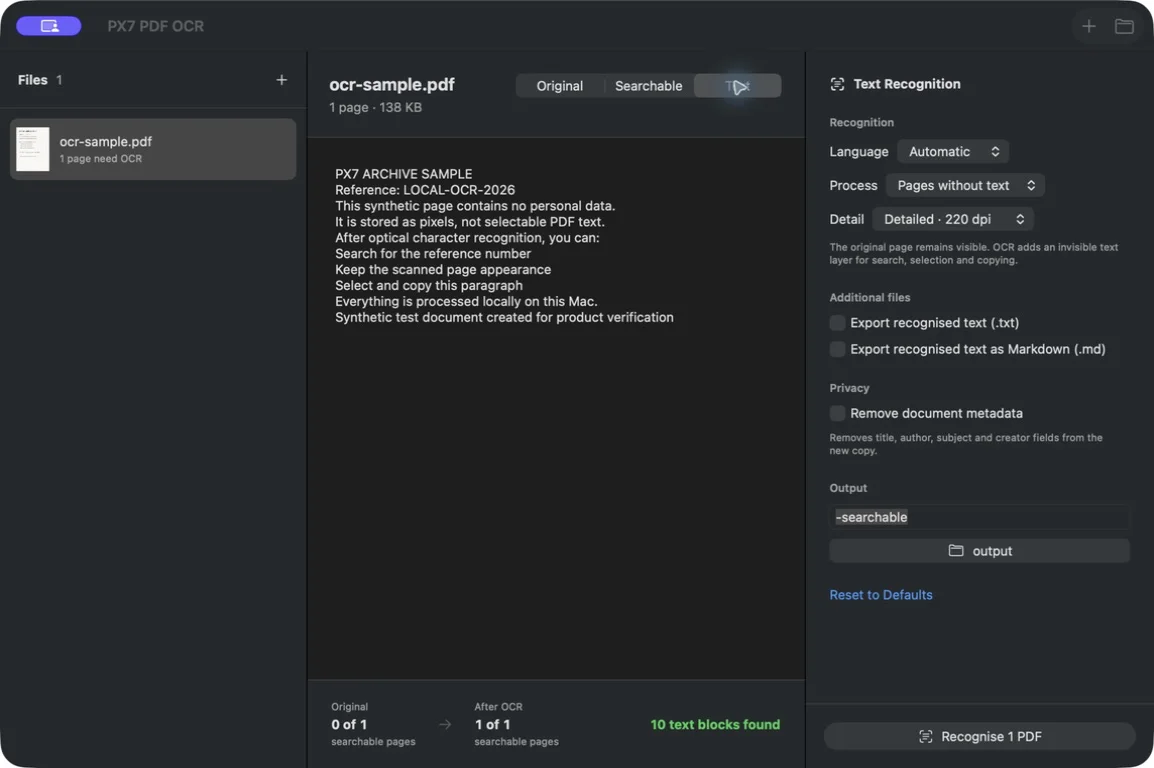
OCR adds an invisible text layer behind the original scanned page, so the document keeps its familiar appearance.
Switch between the original PDF, the searchable result and the extracted text before saving the batch.
Let the Mac detect the language or choose English, Danish, German, French, Spanish, Norwegian or Swedish.
Pages that are already searchable are left alone by default. Choose Every Page only when you want fresh recognition throughout.
Save optional plain-text or Markdown copies alongside the searchable PDF.
Use Finder Open With, drag in complete folders or run the Shortcuts action with the same recognition settings.
Every result gets a new collision-safe filename. Existing files are never overwritten.
Recognition uses Apple Vision locally. Your PDF pages are not sent away for processing.
Use the PX7 tap to install the same signed, notarized Universal release from Terminal.
brew install --cask px7digital/tap/px7-pdf-ocrQuick answers