Arrange pages visually
Drag pages into place in a thumbnail workspace while the finished PDF updates beside it.

Put every page where it belongs.
Combine PDFs and folders, see every page, then reorder, rotate, extract or split before saving a new verified PDF.
No card required · Apple notarized · €12 one-time · updates through version 1.x · one key for up to seven Macs.
How to merge PDFs for free with Preview
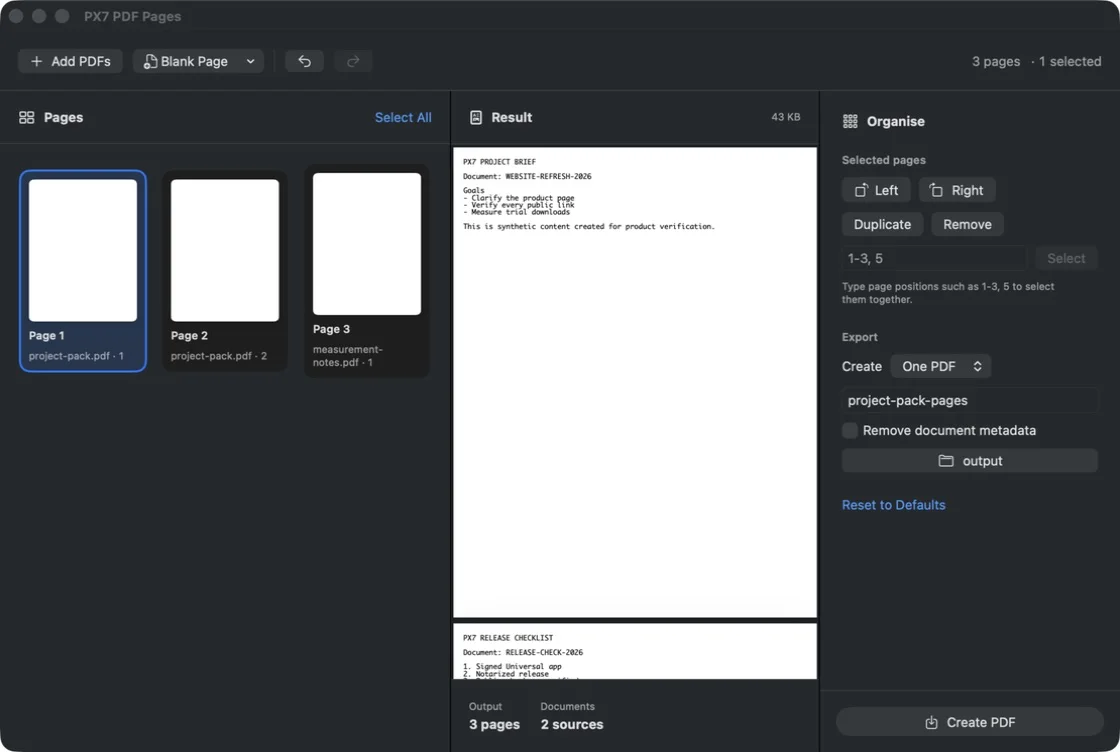
Drag pages into place in a thumbnail workspace while the finished PDF updates beside it.
Add several documents, complete folders or a Finder selection. Their pages arrive in order, ready to arrange.
Save selected pages as one PDF or split the workspace into separate documents with a chosen number of pages each.
Work with one page or a selection. Add a blank A4 or US Letter page where the document needs space.
See the assembled document, page count and file size before writing anything to disk.
Preserve document information when it matters, or remove it from the exported copy.
Results use collision-safe names, split exports roll back on failure and every saved PDF is reopened for verification.
Open a multi-file Finder selection directly, drag in PDFs or run Combine PDFs from Shortcuts.
Use the PX7 tap to install the same signed, notarized Universal release from Terminal.
brew install --cask px7digital/tap/px7-pdf-pagesQuick answers